
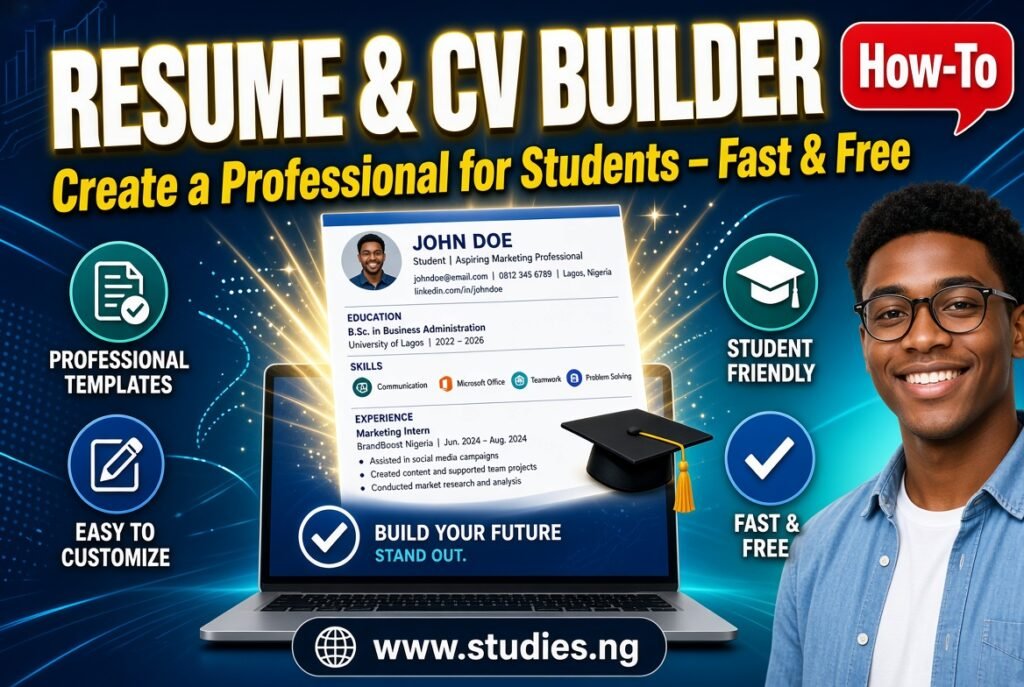
How to Build a Strong First CV When You Have Little Work Experience
What Is a Resume or CV Builder?
A resume builder is a tool that helps you arrange your personal details, education, experience and skills into a clean, professional document. Instead of fighting with margins, fonts and bullet points in a word processor, you fill in your information and let the tool handle the layout. The Resume Builder on Studies.ng is designed with students and fresh graduates in mind, which matters because their CVs look different from those of experienced professionals.
A student or graduate often has little formal work history. That does not make the CV weak. It means the document should lean on education, projects, SIWES or internship experience, volunteering, leadership roles and skills. A good builder helps you give those sections proper weight.
One clarification helps before you start. In Nigeria and many other countries, “CV” and “resume” are often used interchangeably for a job application document. In some regions, a resume is a short one or two page summary, while a CV can be longer and more detailed, especially for academic and research roles. This guide covers both.
What Can You Use a Resume Builder For?
First job applications. Present your education and potential when you have little work experience.
Internship and SIWES applications. Many organisations ask for a CV before accepting students for industrial training.
NYSC-related applications. Some placements, organisations and programmes request a CV during or after service.
Scholarship and fellowship applications. Funding bodies often ask for an academic CV with achievements and leadership roles.
Postgraduate admission. Some programmes request a CV alongside your statement of purpose.
Volunteer and student leadership roles. Clubs, NGOs and community projects often ask for a short profile.
Updating an old CV. If your existing CV is outdated or poorly formatted, rebuilding it can be quicker than repairing it.
Career fairs and networking. A neat CV is useful to hand over or send after a conversation.
Who Should Use It?
Final-year students and fresh graduates preparing for their first formal job search.
Students seeking internships or SIWES placements who need a presentable CV before they have any real work history.
Job seekers who want a cleaner design without learning design software.
Postgraduate applicants who need to summarise academic achievements and research interests.
Teachers and lecturers applying for new positions or updating their professional profile.
Secondary school leavers applying for vacation jobs, apprenticeships or short programmes.
How to Use the Resume Builder
The exact fields and options depend on what the page shows, so follow the labels on your screen. The general process is:
Collect your information first. Gather your full name, phone number, professional email address, institution names, course of study, dates, grades, certificates, internship details and skills.
Open the tool. Go to https://studies.ng/resume-cv-builder/ on your phone or computer.
Enter your personal and contact details. Use a professional email address. Avoid nicknames or casual addresses.
Add your education. List your most recent qualification first. Include the institution, course, years attended and your class of degree or grade if it helps your case.
Add experience. Include internships, SIWES, part-time work, volunteering and student leadership roles. Describe what you did and what resulted from it.
List your skills. Include skills that match the roles you want, such as Microsoft Excel, data entry, report writing, customer service or a programming language you actually know.
Add other sections the tool offers. These might include a summary, certifications, projects or references.
Review the preview. Read every line. Check dates, spelling, phone numbers and email addresses.
Save or download the finished document using the option the tool provides.
Keep the file. Save it with a clear name, for example “Amina Yusuf CV 2026”, so you can find and update it later.
If you are not sure what to write in a section, start with a rough version and refine it. A first draft only needs to exist before it can be improved.
Understanding the Result
When you finish, you should have a formatted CV that presents your details in a structured layout. A few things are worth understanding.
The tool arranges your content. It does not write the substance for you. The quality of the CV depends on the information and wording you provide.
The layout is a starting point. You may still want to adjust the content to suit each application. A CV for a banking role should emphasise different things from one for a teaching position.
Length matters. For most students and fresh graduates, one page is enough, and two pages is the usual maximum. Recruiters often scan a CV quickly, so concise content works better.
The result should be checked on another device. Open your saved file on a phone and a computer to confirm that it displays properly before sending it out.
Always read it as an employer would. Ask whether someone who has never met you could understand who you are, what you studied and what you can do within thirty seconds.
Practical Examples
Example 1: A final-year student with no job history. Chinedu studies Mechanical Engineering and is applying for graduate trainee roles. He puts education first, then his SIWES at a manufacturing company, then his final-year project, then technical skills such as AutoCAD and basic maintenance planning.
Example 2: A SIWES placement application. A 300-level student in Accounting has no work experience. Her CV highlights her course, relevant modules such as Cost Accounting, spreadsheet skills, a role as treasurer of a departmental association and a short volunteer record.
Example 3: A graduate after NYSC. Bisi completed service in a school as a classroom teacher. Her CV lists her teaching duties, the subjects handled, extra-curricular roles and any measurable results, such as improved class participation or a quiz club she organised.
Example 4: A postgraduate applicant. A candidate applying for a Master’s programme uses a longer academic format that includes research interests, a final-year project title, conference or seminar participation and relevant skills.
Example 5: Updating an outdated CV. Someone who left school three years ago has a long, cluttered document. They rebuild it using the tool, remove irrelevant details from secondary school and replace them with recent work and training.
Important Features and Benefits
Faster than starting from a blank page. Structured sections tell you what to fill in.
Consistent formatting. Headings, spacing and alignment are handled for you.
Student-friendly. The tool is aimed at student and graduate needs, where education and potential carry real weight.
Accessible on a phone. You can build and update a CV from a mobile device without installing software.
Easy to update. Add a new internship, certificate or skill whenever it happens, instead of rewriting everything.
The tool does not guarantee interviews or job offers. Employers choose candidates based on many factors, and the CV is only one part of the process.
What Sections Should a Student CV Contain?
This is the question many people actually search for, so here is a practical breakdown.
Section What to include Notes
Contact details Name, phone, professional email, city, LinkedIn if you have one Home address is optional
Professional summary Two to four lines about who you are and what you want Tailor it to the role
Education Institution, course, dates, class of degree or grade Most recent first
Experience SIWES, internship, part-time work, volunteering Focus on what you did and achieved
Skills Technical and soft skills relevant to the job Be honest and specific
Projects Final-year project or major class projects Useful when work history is thin
Certifications Courses, training and professional certificates Include the year and provider
Leadership and activities Association roles, clubs, community service Shows responsibility
Referees Names and contacts, or “available on request” Ask permission first
You do not need every section. Choose the ones that strengthen your case.
How to Write Better Content for Each Section
Summary. Write something specific instead of vague. “Accounting graduate with SIWES experience in bookkeeping and strong spreadsheet skills, seeking an entry-level audit role” is more useful than “hardworking and dedicated graduate looking for opportunities.”
Experience. Begin each bullet point with an action word such as managed, prepared, organised, trained or supported. Add a result where possible, for example “Organised a departmental seminar attended by about 150 students.”
Skills. Group skills if the list is long, such as software, languages and interpersonal skills. List only what you can demonstrate in an interview.
Education. Mention relevant coursework or a project if it relates to the job. Include grades if they are strong, but follow the instructions of the employer or programme.
References. Always ask someone before listing them, and give them a copy of your CV so they know what you applied for.
Common CV Mistakes and How to Avoid Them
Using an unprofessional email address. Create a simple one based on your name.
Writing a very long CV. One to two pages is enough for most students.
Listing duties instead of achievements. Say what you accomplished, not only what you were told to do.
Including irrelevant details. Age, religion, marital status and a photo are not required in many application settings. Check the employer’s instruction if unsure.
Spelling and grammar errors. Read slowly, read aloud and ask someone else to review.
Claiming skills you do not have. An interviewer may test you.
Using one CV for every job. Adjust your summary and skills to match each role.
Inconsistent dates and formatting. Keep a uniform style for dates, headings and bullet points.
Forgetting to update. Add new experience and certificates while the details are fresh.
Common Problems and How to Fix Them
The content spills over onto an extra page. Shorten descriptions, remove older or less relevant items and reduce repeated points.
The preview looks different from what you expected. Recheck every field. A missing entry or an overly long line can change the layout.
Details disappear or do not save. Keep a copy of your text in a notes app so you can re-enter it quickly if the page reloads.
The page loads slowly. Check your network, refresh and try another browser.
The downloaded file will not open. Try opening it with a different app or on another device, then download it again if needed.
Your CV looks plain. A clean, simple layout is usually better than a crowded one. Focus on clear content rather than decoration.
Using the Resume Builder on Android and Other Mobile Devices
Many students will build their CV on a phone, which is entirely workable.
Draft your details in a notes app first, so you can paste them in instead of typing under pressure.
Use an updated browser such as Chrome or Safari.
Zoom in on the preview to check every line.
Save the final file to your phone and back it up by emailing it to yourself or using cloud storage.
Send the file in the format the employer requests. If they ask for a PDF, do not send an editable version unless instructed.
Name the file professionally before attaching it to an email or portal.
If you plan to apply for many jobs, keep a master version of your CV and make copies for specific applications.
Using the Resume Builder on a Computer
A computer is more comfortable for detailed editing.
A bigger screen makes it easier to spot alignment and spelling errors.
Copying and pasting from existing documents is easier.
You can keep organised folders for different versions, such as “CV for banking” and “CV for teaching.”
Uploading to job portals is generally smoother.
Check your final document on a computer even if you built it on a phone, since that is where many recruiters will view it.
Privacy, Security and Responsible Use
Share only what you need to. Avoid including your full home address, national identity number, bank details or passwords on a CV.
Be careful with referee details. Do not list someone’s phone number without permission.
Be honest. Do not invent a qualification, job title, grade or date. False information can lead to withdrawn offers or dismissal later.
Be cautious with job offers. Never pay money to submit a CV or to be “shortlisted.” Be careful with unknown recruiters who ask for sensitive details.
Protect your files. Delete your CV from shared or public computers after use.
Studies.ng does not promise how any specific data is stored or protected beyond what the tool page states, so avoid entering anything you would not be comfortable sharing online.
Important Things to Know Before Using the Resume Builder
It formats your information. It does not verify it.
It does not replace official documents such as transcripts, certificates or your NYSC discharge certificate. Employers may request those separately.
Different employers prefer different formats. Some use online application forms where you must type details directly.
A CV is usually paired with a cover letter or application email. Make sure each supports the other.
Some companies use software to scan CVs for keywords. Use clear headings and relevant terms taken honestly from the job description.
Keep your CV current. Outdated contact details can cost you opportunities.
Preparing a CV for Nigerian and International Applications
Expectations differ between countries and employers, so check the application instructions before you submit.
Nigerian applications. Many employers expect a clear CV with education, work experience and referees. Some ask for details such as state of origin or date of birth, but this varies by employer. Follow the instructions given and avoid supplying personal details that are not requested.
International applications. In many countries, employers prefer that you leave out a photo, age, marital status and similar personal details to avoid bias. Use the local convention where possible.
Academic and research roles. These often use a longer CV that includes publications, presentations, research experience, grants and teaching experience.
Corporate roles. One to two pages with clear achievements usually works better than a long list of duties.
Once your CV is ready, you may also need other documents for applications, such as a certificate scanned into a PDF or practice for a screening test. Studies.ng has separate tools for those tasks when the need arises.