
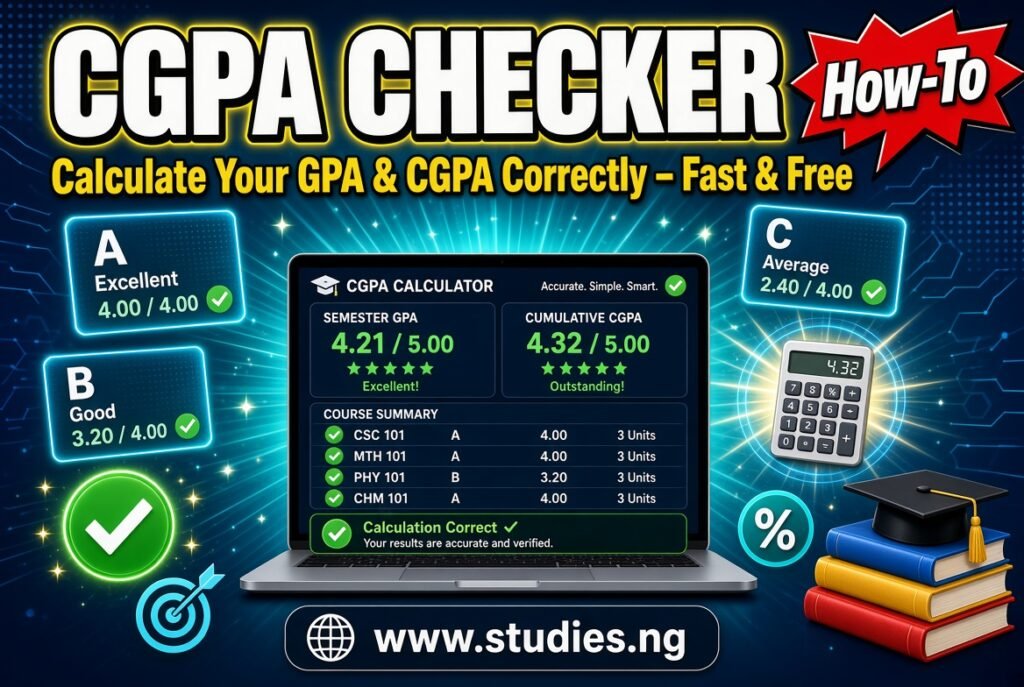
What Is a CGPA Checker?
A CGPA checker is a calculator that works out your Cumulative Grade Point Average from the grades and credit units of your courses. Instead of multiplying and dividing by hand on the back of a notebook, you enter your results and get your GPA for a semester and your CGPA across several semesters.
The two terms are easy to mix up:
GPA (Grade Point Average) is your average for one semester or session.
CGPA (Cumulative Grade Point Average) is your average across all the semesters you have completed so far.
Students usually reach for a calculator like this after results are released, before registering for the next semester, while checking whether they are on course for a particular degree class, or when preparing scholarship and postgraduate applications.
One point matters before anything else. The calculator gives you an estimate based on the figures you type. Your official CGPA is the one published by your institution, and grading rules differ from one school to another. This guide explains the general method so you can use the tool with confidence and know when to check with your department.
What Can You Use a CGPA Checker For?
Checking your semester GPA soon after results come out.
Tracking your cumulative performance across 100 to 500 level or across ND and HND years.
Verifying a published result. If your portal shows a CGPA that looks unexpected, you can recalculate to see whether the figures agree.
Planning for a target class of degree. You can test what grades you would need in future semesters.
Understanding the effect of a poor grade. A single F in a high-unit course can move your CGPA more than you expect.
Preparing applications. Scholarships, internships and postgraduate programmes often ask for your current CGPA.
Academic advising. Course advisers and parents can use it to discuss progress in plain numbers.
Who Should Use It?
University students at any level who want to monitor their results.
Polytechnic and college of education students whose institutions use a grade point system, provided the scale is entered as your school defines it.
Final-year students estimating their likely degree classification.
Students at risk of probation who need to know how much improvement is required.
Course advisers, lecturers and class representatives who want a quick check or an illustration for students.
Parents and guardians trying to understand a result slip.
Prospective students and transfer students comparing how grades may translate between systems, with the understanding that institutions convert results in their own way.
How to Use the CGPA Checker
The exact fields and buttons depend on what the page shows, so follow the labels on your screen. The general process is:
Collect your results. Use your result slip or portal. For each course you need the credit unit and the grade (or grade point).
Find your institution’s grading scale. Check whether your school uses a 5.0 scale, a 4.0 scale or something else, and what each letter grade is worth. This is usually in the student handbook or on your result page.
Open the tool. Go to https://studies.ng/cgpa-checker on your phone or computer.
Enter your courses. Fill in the credit unit and grade for each course using the input fields the tool provides.
Calculate. Use the calculate option shown on the page to see your result.
Read the output. Note your GPA and, where relevant, your CGPA.
Compare with your official result. If there is a difference, recheck your entries before assuming either figure is wrong.
Repeat for other semesters if you want a cumulative figure across your whole programme.
Enter all courses that your institution counts, including those with low grades. Leaving out a failed course will make your result look better than it really is.
How CGPA Is Calculated
The method is the same in most institutions, even when the scale differs.
Step 1: Convert each grade to a grade point. For example, on a common 5.0 scale an A is 5.
Step 2: Multiply the grade point by the credit unit. This gives the quality points for that course.
Step 3: Add all quality points.
Step 4: Add all credit units.
Step 5: Divide total quality points by total credit units.
The formula looks like this:
GPA or CGPA = Total Quality Points ÷ Total Credit Units
For a semester GPA, use only that semester’s courses. For CGPA, use all courses from all semesters completed.
A common 5.0 grading scale
Score range Grade Grade point
70 to 100 A 5
60 to 69 B 4
50 to 59 C 3
45 to 49 D 2
40 to 44 E 1
0 to 39 F 0
This is a widely used pattern in Nigerian universities, but it is only an example. Some schools use different score boundaries, and some drop the E grade. Always use your own institution’s table.
Understanding the Results
GPA reflects one semester. A high GPA in a light semester and a modest GPA in a heavy semester are not weighted equally in your CGPA, because units matter.
CGPA reflects the whole record. Because it accumulates, it changes more slowly as you progress. A bad first year can take several good semesters to repair, and a strong first year gives you some cushion.
Credit units carry weight. A 4-unit course affects your result more than a 1-unit course. That is why failing a high-unit core course hurts so much.
The scale matters. A CGPA of 3.8 on a 5.0 scale is very different from 3.8 on a 4.0 scale. Always state the scale when you quote a result.
The tool does not know your school’s special rules. Policies on repeated courses, carryovers, withdrawn courses, probation and graduation requirements are set by each institution.
Understanding Degree Classes and Academic Standing
Many Nigerian universities on a 5.0 scale classify degrees in ranges similar to these:
CGPA range Typical class of degree
4.50 to 5.00 First Class
3.50 to 4.49 Second Class Upper (2:1)
2.40 to 3.49 Second Class Lower (2:2)
1.50 to 2.39 Third Class
1.00 to 1.49 Pass
These ranges are common, but they are not universal. Some institutions, especially those using a 4.0 scale or different boundaries, set their own cut-offs. Use the table as a general guide and confirm the exact ranges with your department or the student handbook.
Academic standing, such as good standing, probation or withdrawal, also depends on school policy. Many institutions set a minimum CGPA, often 1.0 or higher, for continued study, but the figure differs.
Practical Examples
Example 1: Calculating a semester GPA (5.0 scale)
Course Credit units Grade Grade point Quality points
Course A 3 A 5 15
Course B 2 B 4 8
Course C 3 C 3 9
Course D 2 D 2 4
Course E 3 B 4 12
Total 13 48
GPA = 48 ÷ 13 = 3.69
Example 2: Calculating CGPA across two semesters
Suppose the second semester has 13 units and 55 quality points, which gives a GPA of 4.23.
Total units across both semesters = 13 + 13 = 26
Total quality points = 48 + 55 = 103
CGPA = 103 ÷ 26 = 3.96
Example 3: Why you should not simply average GPAs
In the example above the semesters had equal units, so averaging 3.69 and 4.23 gives roughly the same answer. If one semester had 24 units and the other 12, a simple average would be wrong because the larger semester should count for more. Always add quality points and units, then divide.
Example 4: Setting a target
A student has 60 units and a CGPA of 3.50. That is 210 quality points. She wants a CGPA of 3.75 after 30 more units, giving 90 units in total.
Quality points needed overall = 3.75 × 90 = 337.5
Quality points still needed = 337.5 − 210 = 127.5
Required average over the next 30 units = 127.5 ÷ 30 = 4.25
She now knows she needs an average of about 4.25 across the next two semesters, which helps her decide how seriously to plan.
Example 5: A failed course
A 3-unit course with an F contributes 0 quality points but still adds 3 units to the total. That lowers the average. How a later retake is treated, whether the new grade replaces the old one or both are counted, depends on school policy. Ask your department before relying on a recalculated figure.
Example 6: A 4.0 scale
If your school uses a 4.0 scale, you would use that scale’s grade points, such as A as 4, B as 3 and so on. The formula is identical. Only the grade point table changes.
Important Features and Benefits
Fast and accurate arithmetic. It removes the risk of calculation slips in long result sheets.
Immediate feedback. You see how each grade changes your result.
Useful for planning. You can test scenarios before the next semester.
Accessible on any device. A phone or computer with an internet connection is enough.
No specialist knowledge required. You only need your courses, units and grades.
The calculator does not store your official academic record or confirm your results. It performs the calculation you request.
Common Mistakes When Calculating CGPA
Using the wrong grading scale. A 4.0 table on a 5.0 school will produce misleading results.
Entering the wrong credit unit. This is the most common error and it distorts the whole calculation.
Leaving out failed or carryover courses that your school includes.
Averaging GPAs instead of weighting by units.
Rounding too early. Keep full decimals during calculation and round only at the end.
Counting non-credit courses that your school excludes, such as certain general or audit courses.
Mixing semesters from different programmes or levels without checking how your school treats transfers.
Assuming the rule for repeated courses. Confirm how your institution handles them.
Common Problems and How to Fix Them
Your result differs from the portal. Recheck units, grades and the scale first. Then check whether the school excludes or replaces certain courses.
The result seems too high. You may have left out a course or entered a wrong unit.
The page loads slowly or the calculation does not appear. Check your connection, refresh and try another browser.
You lose your entries. Keep a copy of your results in a notes app so that you can re-enter them quickly.
You are not sure about a grade point. Check the official grading table from your school rather than guessing.
Using the CGPA Checker on Android and Other Mobile Devices
Use an updated browser such as Chrome or Safari.
Take a screenshot of your result slip or open it in another tab so you can copy figures accurately.
Enter courses carefully, since small keys make typing errors easy.
Zoom in on the result to read the decimals clearly.
Write down or screenshot your final figure for your records.
If you have many semesters to enter, break the task into sessions so you do not rush.
Using the CGPA Checker on a Computer
A bigger screen lets you view your result portal and the calculator side by side.
Typing and checking long lists of courses is easier.
You can keep a spreadsheet of your results and update it each semester.
It is more comfortable for planning scenarios with different grade combinations.
Privacy, Security and Responsible Use
Enter only what is needed. The calculation needs units and grades, not your name, matric number or password.
Never share your student portal login with anyone, including people offering to “check” or “upgrade” results.
Be careful with screenshots. Result slips often contain personal information.
Use the figure honestly. Do not present an estimate as an official CGPA in applications. Use your transcript or institution-issued result where official figures are required.
Beware of result scams. Nobody can legitimately change grades for payment, and offers to do so are fraud.
Studies.ng does not promise how any specific data is stored or processed beyond what the tool page states, so avoid entering anything you would not be comfortable sharing online.
Important Things to Know Before Using the CGPA Checker
Your institution’s official result always overrides an online calculation.
Grading scales, class boundaries, repeat-course rules and probation rules vary.
The tool cannot know special adjustments, such as approved waivers or changes to grades after a remark.
Postgraduate programmes may use different scales and pass marks.
Foreign institutions and international applications may require grade conversion by a recognised evaluation service, and an online calculator does not replace that.
Keep your records, because you may need to resolve disputes using your own copies of results.
Tips for Improving Your CGPA
Prioritise high-unit courses. They move your average the most.
Do not neglect small courses. Several low grades add up.
Start early in the semester. Catching up late is much harder.
Use past questions and timed practice. Studies.ng has a CBT practice tool for objective-style revision.
Talk to your course adviser when you are struggling, before the semester ends.
Plan your registration so that your course load matches your capacity.
Track your result each semester instead of waiting until final year to discover a problem.